
WhatsApp Business API for Microsoft Teams: Installation and sending the first message.
Installation guide
1. First of all you need to choose a team where do you want to use our app, press “more option” and after that “manage team”

2. Go to the “apps” => “upload an app” and upload a file that we sent to you
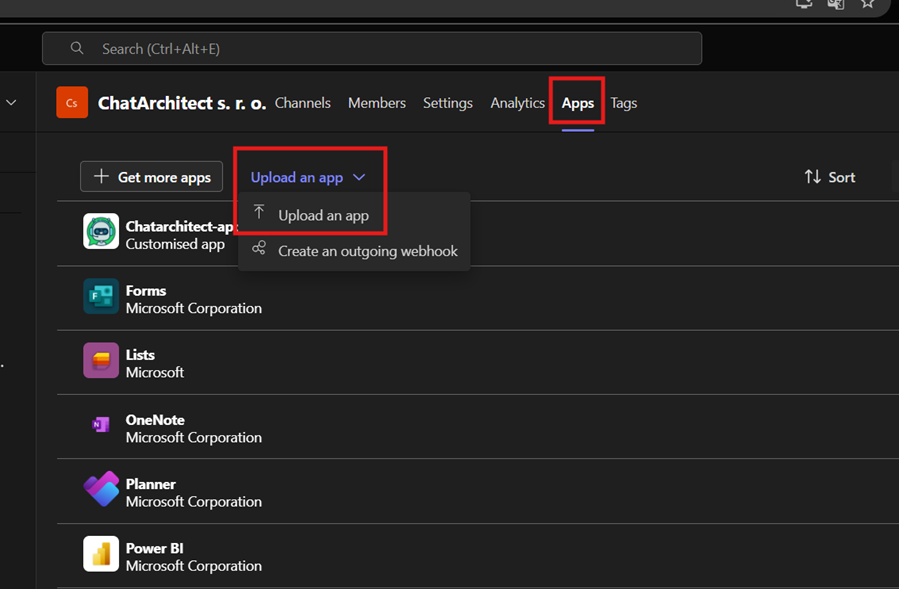
3. Upload a file that we will send you and press “add”

4. Select a channel and press “go”

5. After this you will be redirected to the channel that you choose and you will see “install” button. Press on it

6. You need to fill in app id and app secret and press “install”


7. Now you need to check incoming and outgoing messages:
You need to write from your personal number on WhatsApp Business API number using this link wa.me/855388801854

No comments to display
No comments to display